LOADING....
LOADING....
LOADING....

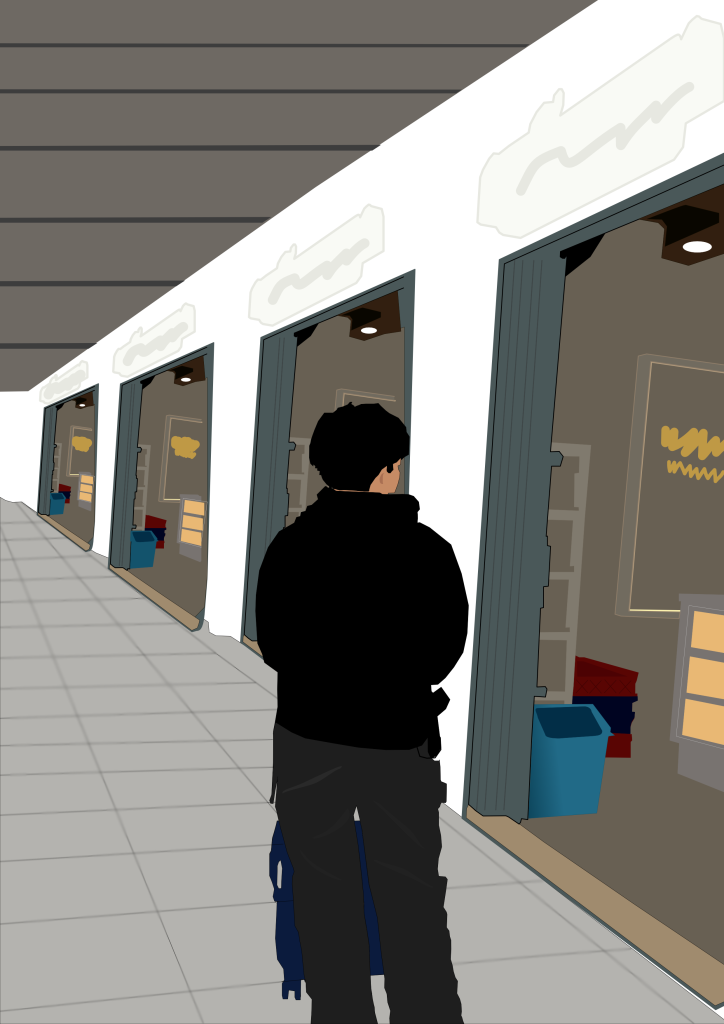
I created this illustration using Affinity Designer, a vector-based graphic design application. Affinity Designer provides powerful tools such as the Pen Tool, Shape Tool, and Node Tool, which make it easy to create clean and precise vector illustrations. I used this software because it allows me to design detailed objects with smooth lines, organize elements using layers, and apply colors efficiently. The application also offers a simple interface that helps me work more comfortably while maintaining high-quality results.
The composition of my design focuses on perspective and depth. I used a one-point perspective to create the appearance of a long corridor with several shop entrances aligned in the same direction. The main subject, a person pushing a shopping cart, is placed in the foreground to become the focal point of the illustration. Repeated elements, such as the shop doors and interior objects, create rhythm and balance, while the neutral color palette gives the design a clean and modern atmosphere. The diagonal ceiling line also helps guide the viewer’s eyes toward the background, enhancing the sense of space.
The most challenging part of creating this design was maintaining the correct perspective and ensuring that all repeated objects were consistent in size and alignment. Drawing the architectural elements, such as the doors, walls, and floor tiles, required careful attention to proportion. Another difficulty was arranging the lighting and colors so that the illustration looked simple yet visually appealing. Despite these challenges, the project helped me improve my understanding of perspective, composition, and vector illustration techniques in Affinity Designer.